For iPhone & iPad

Snooze is over.
Blink to wake up.

The alarm that won't stop ringing until you look at your camera and blink. Built for heavy sleepers, with daily blink breaks for your eyes.

  • Blink detected
  • 7-day streak
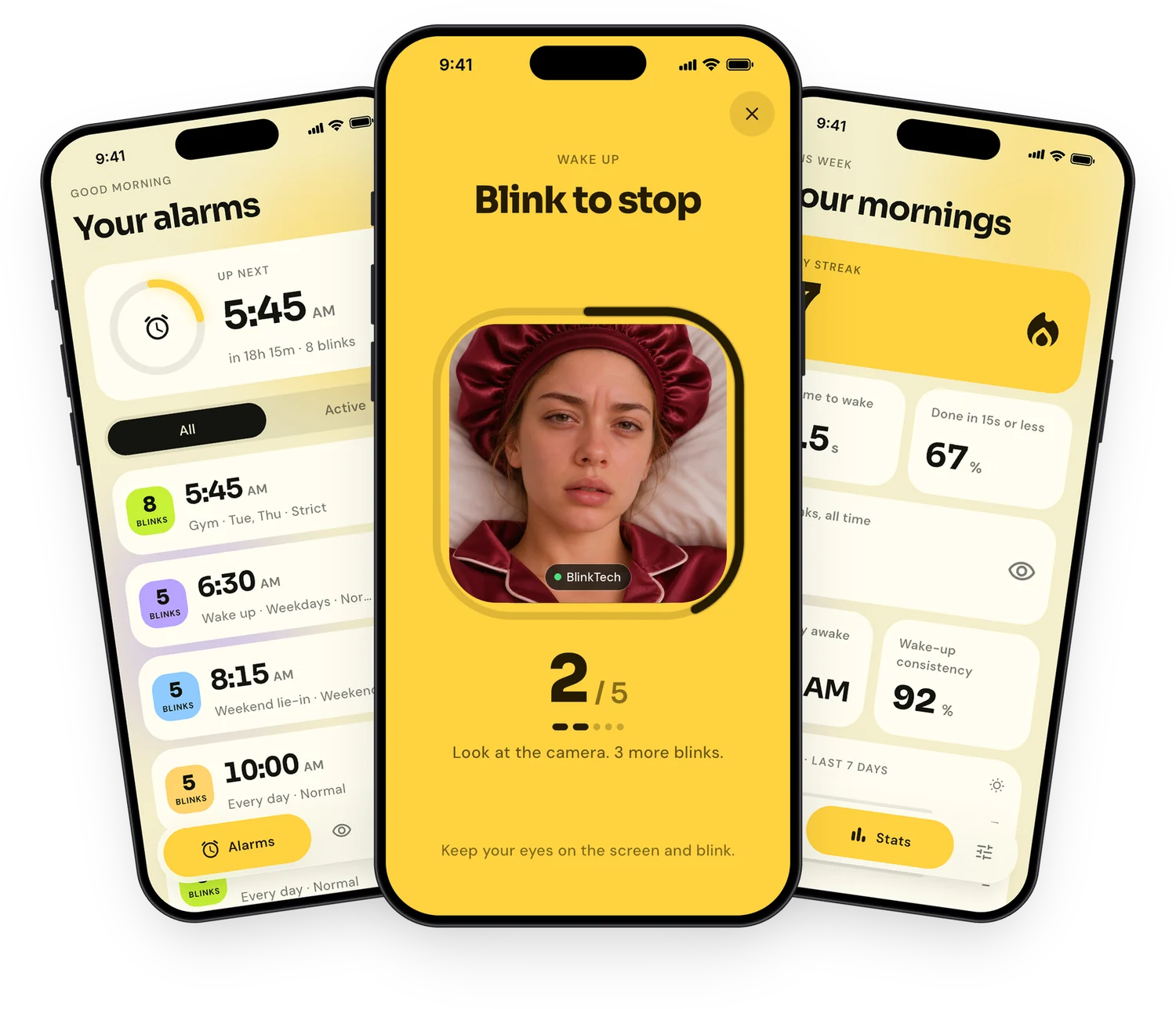
Blink to Wake Alarm screens: your alarms, the blink-to-stop camera screen and your morning stats

Backed by 2025 research

Why the first alarm matters.

56%

of nights end with a snooze

A 2025 study of more than 3 million nights of sleep found that over half ended with a snooze. Each snooze breaks up the REM sleep you get just before waking, so you get up groggier, not more rested.

Mass General Brigham, Scientific Reports (2025) ↗

15 × 3

blinks, three times a day

A 2025 eye study found that 15 close-squeeze-open blinks, 3 times a day, made dry-eye symptoms milder and less frequent within two weeks.

Contact Lens & Anterior Eye (2025) ↗
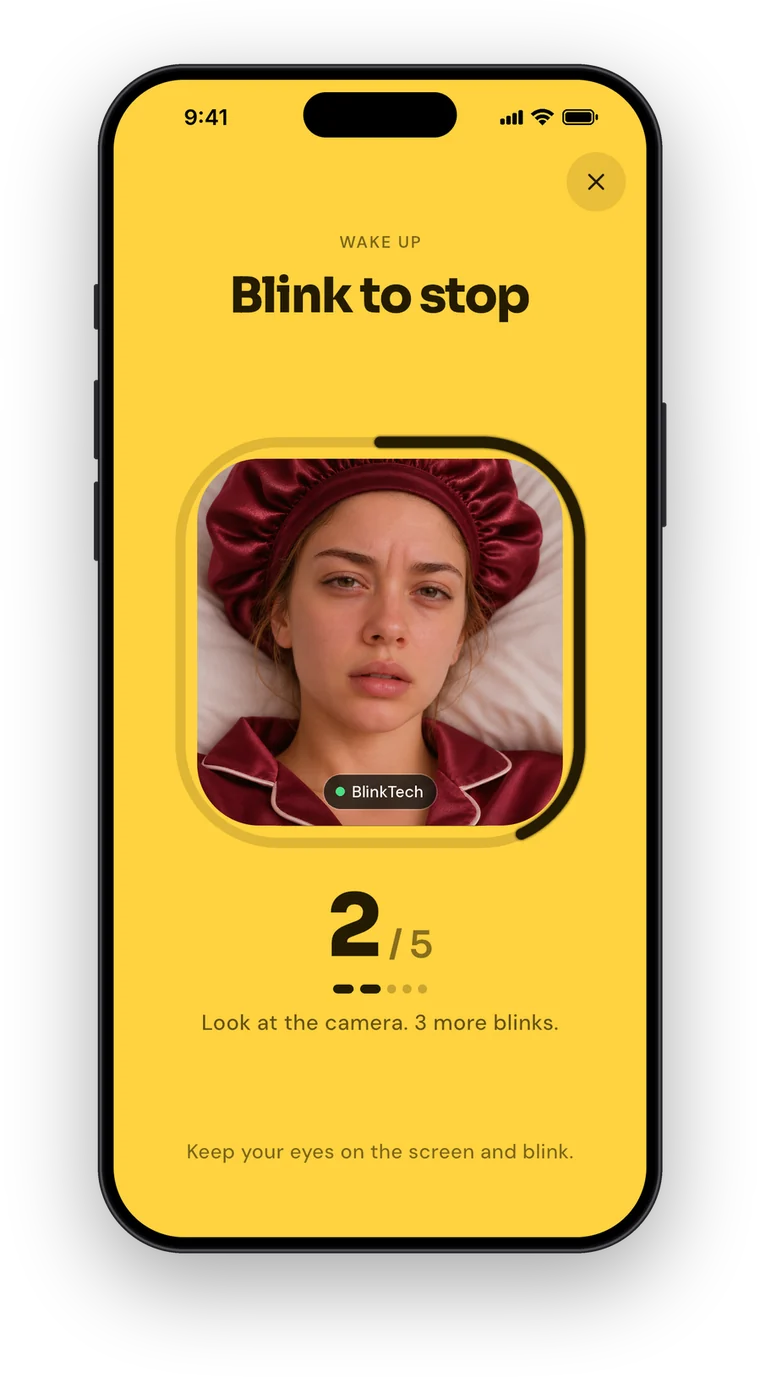
The blink-to-stop screen counting blinks with the front camera

How the alarm works

Your eyes are the off switch.

  1. 1

    Set your alarm

    Pick a time and choose how many blinks it takes to turn off: 5 or more.

  2. 2

    Look at the camera

    When it rings, open the app and look at the front camera.

  3. 3

    Blink to stop it

    BlinkTech counts your blinks. Once you reach the number, the alarm stops, and you're already awake.

Not just an alarm

Blink breaks for tired eyes.

Long hours on screens can leave your eyes feeling dry and tired, partly because you stop blinking fully. In a 2025 study, people with dry eye who followed guided blinking exercises had milder and less frequent symptoms and fewer incomplete blinks after two weeks. The benefits faded once they stopped, so doing it every day matters.

  • Schedule blink breaks at the times that suit you.
  • Follow a quick blink exercise wherever you are.
  • Let reminders keep the habit going every day.
Read the study on PubMed ↗

Everything you need

Built for heavy sleepers.

Rings when locked

Rings like a real iPhone alarm, even when your phone is locked.

Strict, Normal or Easy

Choose how strict each alarm is about counting your blinks.

Loudest tones

Pick from the loudest tones or keep your iPhone default.

Your snooze, your rules

Choose the snooze length for each alarm.

Labels & repeat days

Weekdays, weekends, every day or your own mix.

Sync with Apple

Sign in with Apple to move your alarms and settings to a new phone.

Track your mornings

Watch yourself get better at waking up.

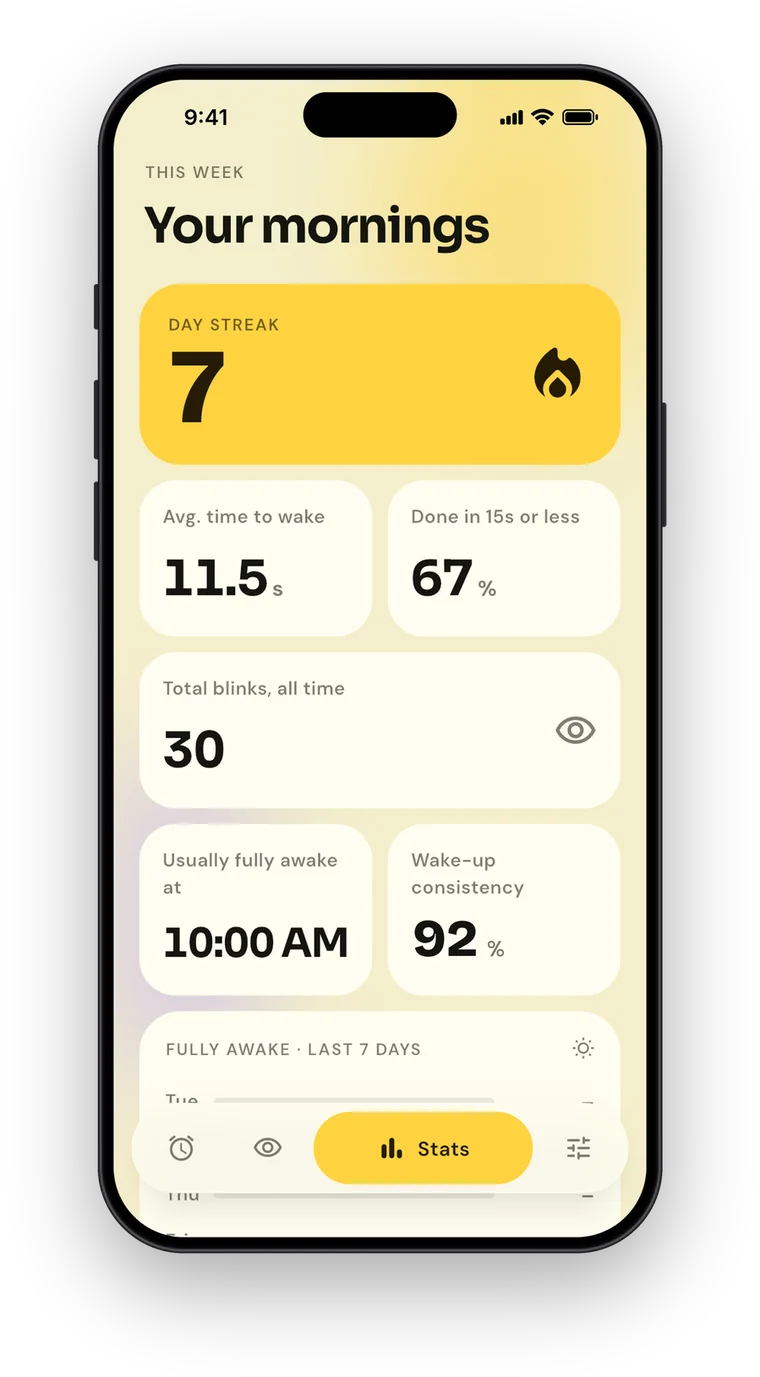
  • A day streak to keep you going.
  • Average time to wake, and how often you're up in 15 seconds or less.
  • Wake-up consistency and the time you're usually fully awake.
Stats screen with a 7-day streak and wake-up consistency
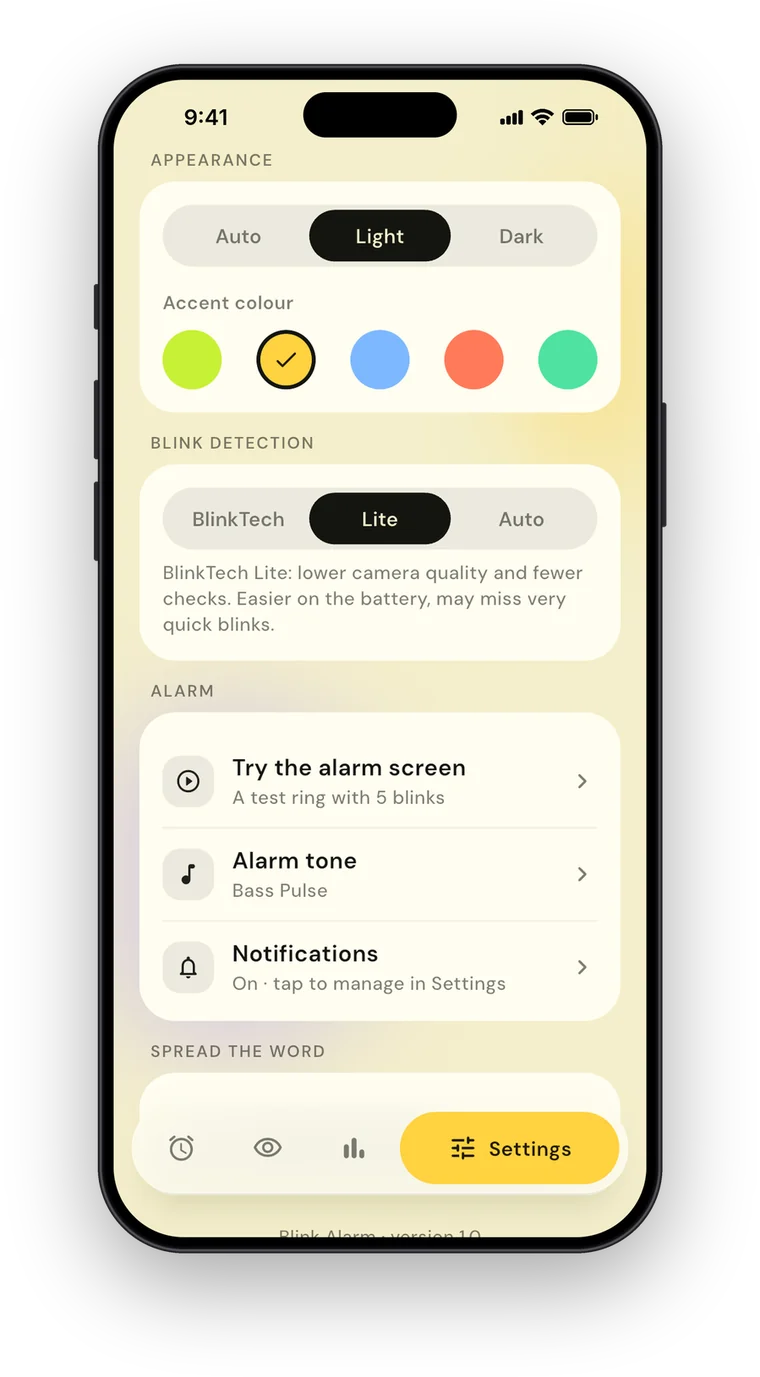
Settings screen with appearance, accent colour and BlinkTech options

Make it yours

Light, dark and five accent colours.

  • Light, dark or automatic appearance.
  • Five accent colours.
  • BlinkTech modes, including a Lite mode.
  • Works on iPhone and iPad, in 11 languages.

Questions

Good to know.

How many times do I have to blink?

You choose for each alarm, from 5 blinks up. Strict, Normal and Easy modes set how strict the counting is.

Will it ring if my phone is locked?

Yes. It rings like a real iPhone alarm, even when your phone is locked.

Can I still snooze?

You can set a snooze length for each alarm. Getting up on the first alarm is the point, though, so it's up to you how much room you give yourself.

What are blink breaks?

Short blink exercises you can schedule during the day to rest your eyes from screens. The app reminds you at the times you choose.

Which devices does it work on?

iPhone and iPad. The app is available in 11 languages.

How do I contact you?

Email us at blinksalarms@gmail.com or use our contact page. We read every message.

Is it a medical device?

No. Blink to Wake Alarm doesn't diagnose or treat any condition. If your eyes are often sore, dry or red, see an eye doctor.
The alarm you can't snooze.

Stop sleeping through your alarm. Blink to wake.

Download on theApp Store